Drag a text to move it; on a touch screen, pinch with two fingers to resize and turn it. With the keyboard, Enter picks the next text and the arrow keys move it.
New: up to three texts, over several lines. Put them anywhere, tilt them, set each nearer or further. In the app's Studio too.
Pick a shape
Tap a text to change it, or add a new one.
Pattern type
Pattern colors
Draw and download as many as you like with the ready-made shapes. A stereogram made from text can be downloaded once. Everything is drawn in your browser; nothing is uploaded.
You've used your one text download
You can download as many as you like with the ready-made shapes. To make and save unlimited text stereograms, use the Studio in the app.
A stereogram from your own photo
Pick a photo and hide the person or object in it inside the pattern. In the app's Studio.
A stereogram is made of two things
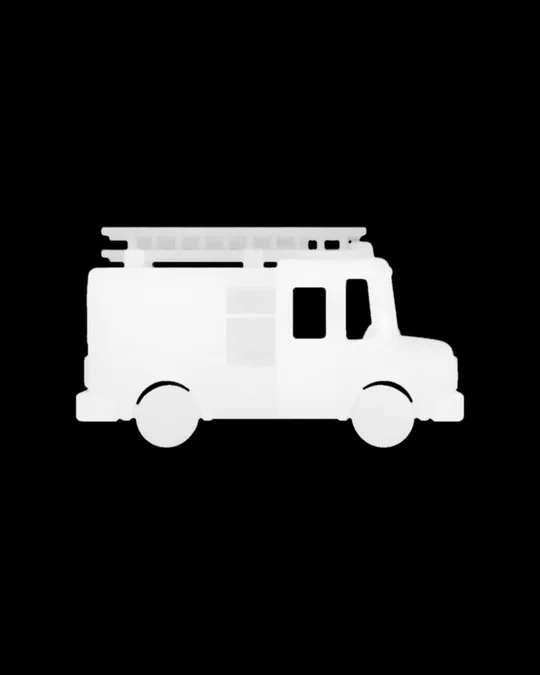
Depth map
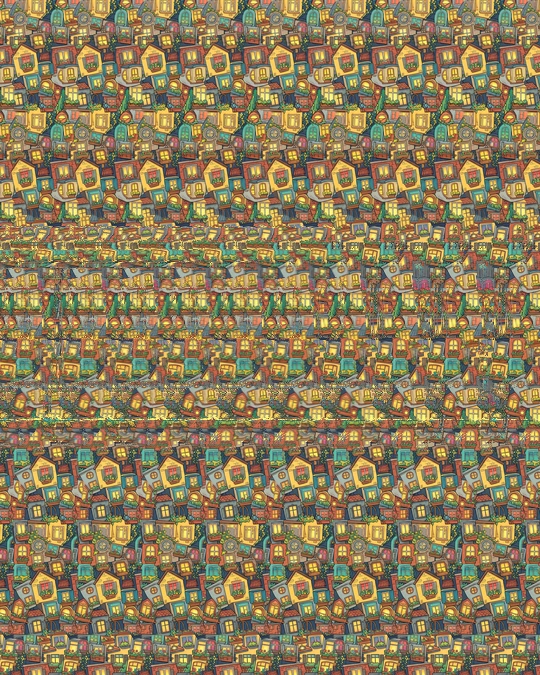
Pattern
Stereogram
A depth map is a grayscale picture of the hidden shape: white is nearest, black is farthest, and the grays in between are the depths in between. The pattern is the texture that hides the shape: random color blotches, dots or small pictures. A stereogram program repeats the pattern horizontally and, at each point, checks the depth map to decide how far the repeat shifts.
How to make a stereogram, step by step
Depth map
Make the shape gray or white on a black background. Soften the edges slightly.
Repeat width
For parallel viewing, narrower than the distance between your eyes. About 2 cm on a phone.
Pattern
Random blotches in sharp colors are easiest to see; avoid regular stripes.
Link row by row
In each row, link the points to each other according to the map; linked points get the same color.
Cross-eye version
For cross-eye viewing, invert the depth and draw it again.
Save it lossless
JPEG compression ruins the fine dots and weakens the depth.
The maker on this page and our game use the same method: smooth depth with 3x horizontal oversampling. The game draws every level this way on the phone, in under a second.
Why are some stereograms hard to see?
Too much depth
If the shape pops out too far, your eyes struggle to merge it. Keep the depth moderate.
The pattern is too regular
With striped or checkered patterns, your eyes can lock onto the wrong repeat.
Details that are too small
Thin bars and thin letters get lost in the pattern. Choose bold shapes.
Compression and downscaling
Saving at low quality or shrinking the image blurs the pattern's dots.
Where do you get a depth map?
 From a 3D modelExport the model's depth image from a 3D program.
 From a photoOpen-source AI models estimate depth from a photo.
 By handPaint in white and grays on a black background: near is light, far is dark.
- AaFrom textWrite in bold white letters on a black background.
Text stereograms
To hide a name or a short message, use the letters as the depth map. Choose big, bold letters, keep the word short and space the letters out a little. Type your name into the maker above and press "Draw"; then download it as a PNG and share it.
On your phone: the Studio
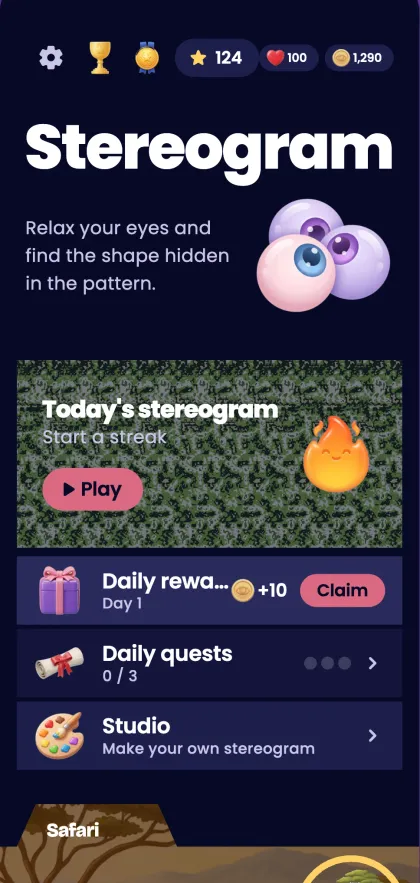
Every object you find in the Stereogram game becomes yours in the Studio: pick a shape, choose one of the chapters' illustrated textures and draw your own stereogram. You can also type a word or pick your own photo to turn it into a stereogram, then save and share it. You can see step by step how your own photo turns into a stereogram on the photo to stereogram page.
Updated: